North star · Make live video the visual focal point, using a restrained light interface and Twitch purple to guide discovery.
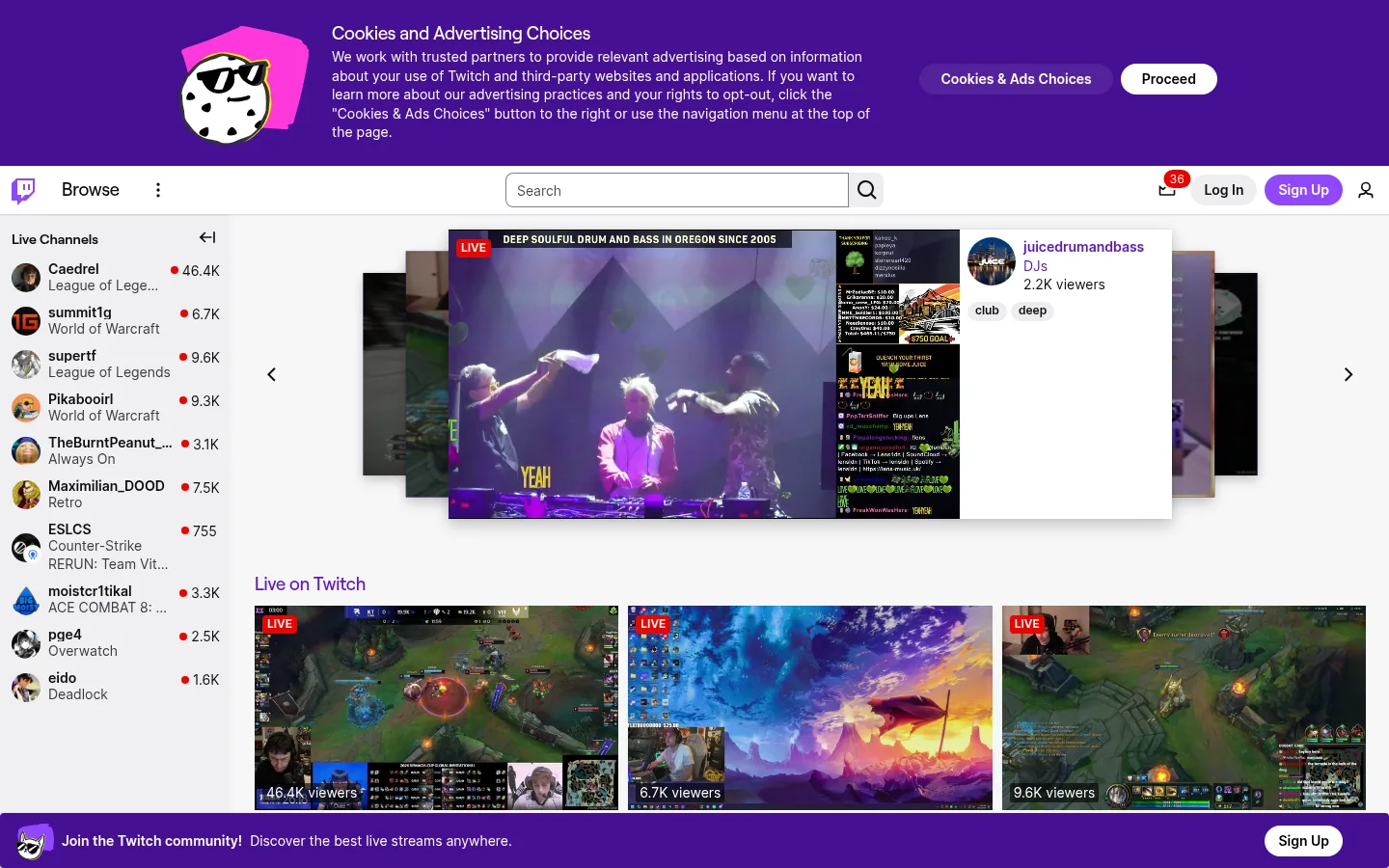
The page balances Twitch’s saturated purple identity with a light, high-contrast browsing canvas. The vivid purple consent banner at the top and purple footer strip establish brand presence, while the white and pale gray interface keeps the stream imagery easy to scan. Purple is also used selectively for links, section headings, and signup actions rather than flooding the content area. Inter is the workhorse for navigation, metadata, and broadcast labels; Roobert gives compact display headings a distinct brand character. The layout prioritizes live content: a narrow channel list stays anchored at the left, a large featured broadcast occupies the central stage, and a row of smaller live previews begins below it. Stream thumbnails are vivid, varied, and largely untreated, so the UI frames creator content instead of imposing a unified image style. Generous gaps separate major content zones, while dense channel metadata supports quick scanning.
Navigation, body copy, live labels, channel metadata, and links.
Aa 设计
Roobert
网络字体 · 字重 500 / 600 · 占比 5%
免费替代:Inter
Compact display headings and brand-flavored section titles.
角色
示例
字号
字重
行高
字距
一级标题
Compact display heading treatment for primary page or section titles.
The quick brown fox 敏捷的狐狸
18px
500
1.1
-0.01em
正文
Consent explanation, channel descriptions, and supporting interface copy.
The quick brown fox 敏捷的狐狸
14px
400
1.4
0
辅助文字
Uppercase live, category, or compact metadata labels.
The quick brown fox 敏捷的狐狸
12px
600
1.4
0
导航
Browse, account actions, search controls, and channel navigation.
The quick brown fox 敏捷的狐狸
14px
400
1.4
0
链接
Streamer names and interactive text links.
The quick brown fox 敏捷的狐狸
14px
400
1.4
0
间距与布局
基准单位 4px · 密度:宽松
212px版块间距
2px元素间距
—卡片内边距
1408px内容最大宽度
1px
2px
3px
4px
5px
6px
8px
16px
20px
24px
40px
A spacious desktop shell uses a persistent narrow channel rail beside a broad central content area. The featured stream carousel is centered in the main region, with live recommendations arranged in a multi-column row below. The measured page max width is 1408px, and the screenshot shows a 1440px viewport with content spanning nearly the full canvas. Major sections have generous separation, while channel rows and video metadata remain tightly packed for quick scanning.
圆角与层次
按钮 · 50%
输入框 · 8px
图片 · 50%
徽标 · 2px
导航 · 50%
链接 · 9999px
md · card
sm · nav, footer
inset · input
The interface is mostly flat, with pale surfaces and fine dividers defining structure. A soft, layered shadow lifts the featured stream card above surrounding carousel previews, creating a clear focal point. Video edges remain square in the measured cards; pill-shaped controls and badges provide the primary rounded forms.
组件
下面的预览按实测的按钮、输入框、徽标、卡片样式重建(字体用替代字体)。
Consent banner
Full-width saturated purple notice at the top, pairing a mascot illustration and compact explanatory copy with rounded choice buttons.
Top navigation
Light horizontal bar with Twitch mark, Browse entry, centered search field, notification indicator, login, signup, and account icon.
Live channel rail
Left-side list of creator avatars, names, categories, and viewer counts, designed for rapid scanning.
Featured live carousel
A large central broadcast card layered above darker neighboring previews, with a live badge and creator details beside the video.
Live preview cards
Wide stream thumbnails arranged in a row below the featured item, with compact viewer-count overlays.
Signup action
High-contrast rounded purple CTA in the header and community footer band.
Imagery · Live video thumbnails dominate the page, showing varied creator broadcasts, gameplay, and music content. A large featured stream is layered over dimmer neighboring previews, while smaller thumbnails appear in a clean row below. The imagery retains its native color and detail rather than sharing a brand filter. The consent banner adds a small playful mascot illustration, distinct from the creator-led media.
Keep the live broadcast as the main visual focal point.
Use Twitch purple for identity bands, links, and selected actions.
Preserve a light, neutral browsing canvas around video content.
Keep creator names and viewer counts easy to scan.
Use real, varied stream imagery without a uniform color filter.
Separate the sidebar and central feed with clear alignment.
✕ 不该做
Do not replace the light content canvas with a fully dark theme.
Do not spread saturated purple across every surface.
Do not make stream cards heavily rounded.
Do not bury the featured broadcast beneath dense copy.
Do not standardize creator thumbnails with a brand overlay.
Do not make secondary channel metadata compete with stream imagery.
给 AI 的提示词
想快速出一个同风格的新页面,把这段话连同 DESIGN.md 一起发给 AI。
Build a new Twitch-style discovery page with a light browsing canvas in Canvas Mist (#f7f7f8), dark Twitch Ink (#0e0e10) text, and a clear purple identity accent. Use Deep Twitch (#330c6e) and Banner Purple (#451093) sparingly for brand bands, Link Violet (#5c16c5) for interactive text, and Action Purple (#9147ff) for the main signup action. Arrange a compact navigation bar above a persistent live-channel rail and a wide central content feed. Give one featured live video clear visual priority, then show smaller stream previews in a row. Use Inter for interface text and compact metadata, with restrained Roobert-like headings. Keep cards mostly flat and square, use soft elevation only to distinguish the featured stream, and preserve the natural color and variety of creator imagery.